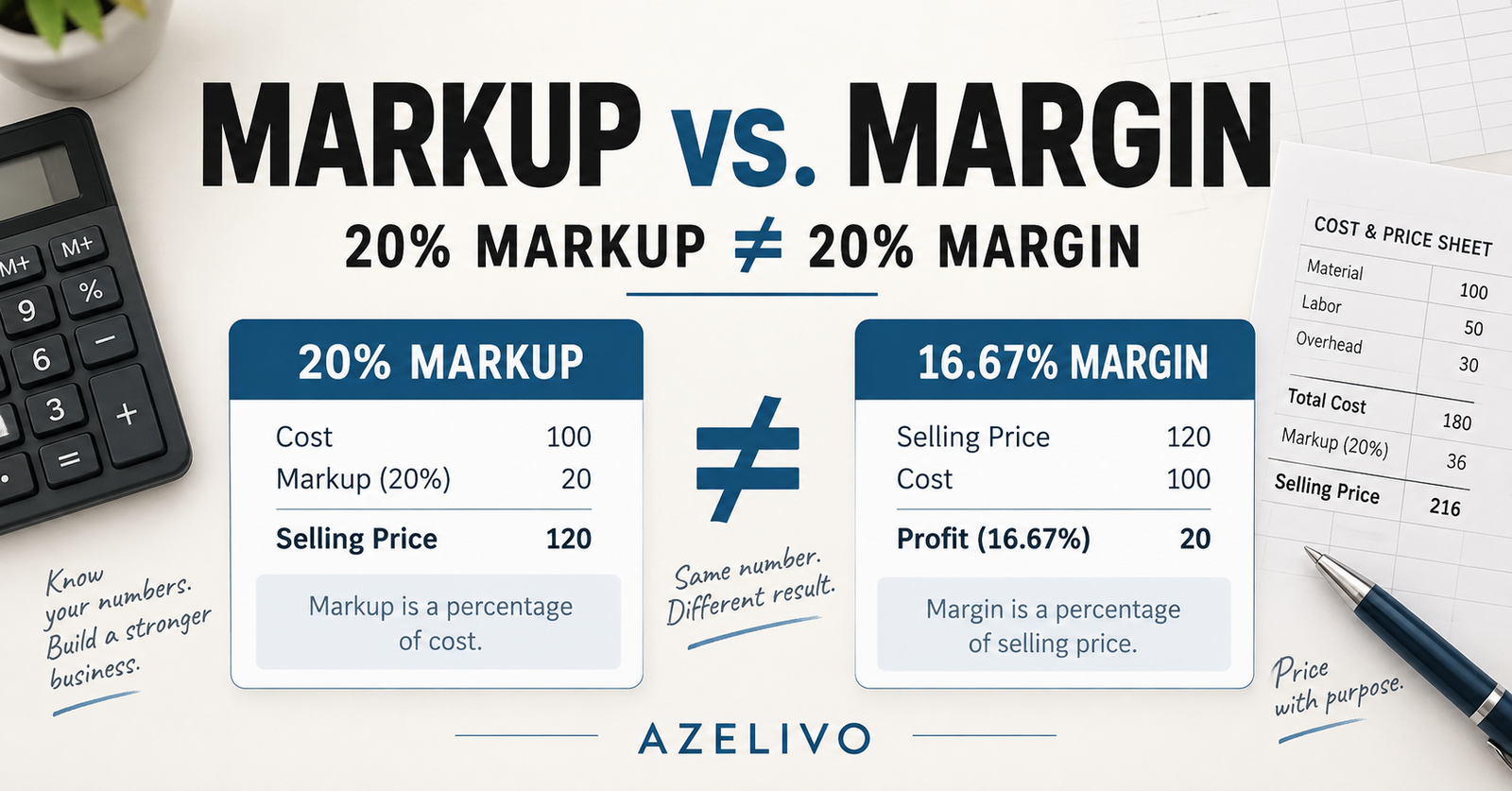
A contractor can price a job above its estimated cost and still earn less margin than expected. One common reason is treating markup and margin as if they mean the same thing.
A Simple Example
Suppose a job’s estimated cost is $1,000. You add a 20% markup:
Cost: $1,000
Markup: $200
Selling price: $1,200
The expected profit is $200. However, profit margin is measured against the selling price—not the cost.
$200 ÷ $1,200 × 100 = 16.67% margin
Therefore, a 20% markup produces a 16.67% profit margin in this example.
What Selling Price Gives You a 20% Margin?
If the estimated cost is $1,000 and your target profit margin is 20%, calculate the selling price using this formula:
Selling price = Cost ÷ (1 − Target margin)
$1,000 ÷ (1 − 0.20) = $1,250
At a $1,250 selling price, the expected profit is $250. This equals 20% of the selling price and is equivalent to a 25% markup on the $1,000 cost.
| Pricing method | Selling price | Expected profit | Result |
| 20% markup | $1,200 | $200 | 16.67% margin |
| 20% target margin | $1,250 | $250 | 25% markup |
Check What You Included in the Cost
The calculation is only as reliable as the cost estimate behind it. Before setting your selling price, include all expected project costs, such as materials, labour, subcontractors, equipment, permits and contingency. You should also consider how the project will recover its share of business overhead.
After work begins, compare the budget with actual spending. A price calculated before the project starts cannot guarantee the final profit if quantities, rates, scope or project conditions change.
Build the Calculation into Your Estimating Workflow
Markup and margin should not be treated as isolated percentages. They form part of a wider process that begins with estimating the job cost and continues through pricing, client presentation, cost tracking and final profit forecasting.
The AZELIVO Contractor Bid-to-Profit Toolkit helps small contractors connect job costing, overhead recovery, pricing, client estimates, actual spending and profit forecasting in one practical Excel-based workflow.